
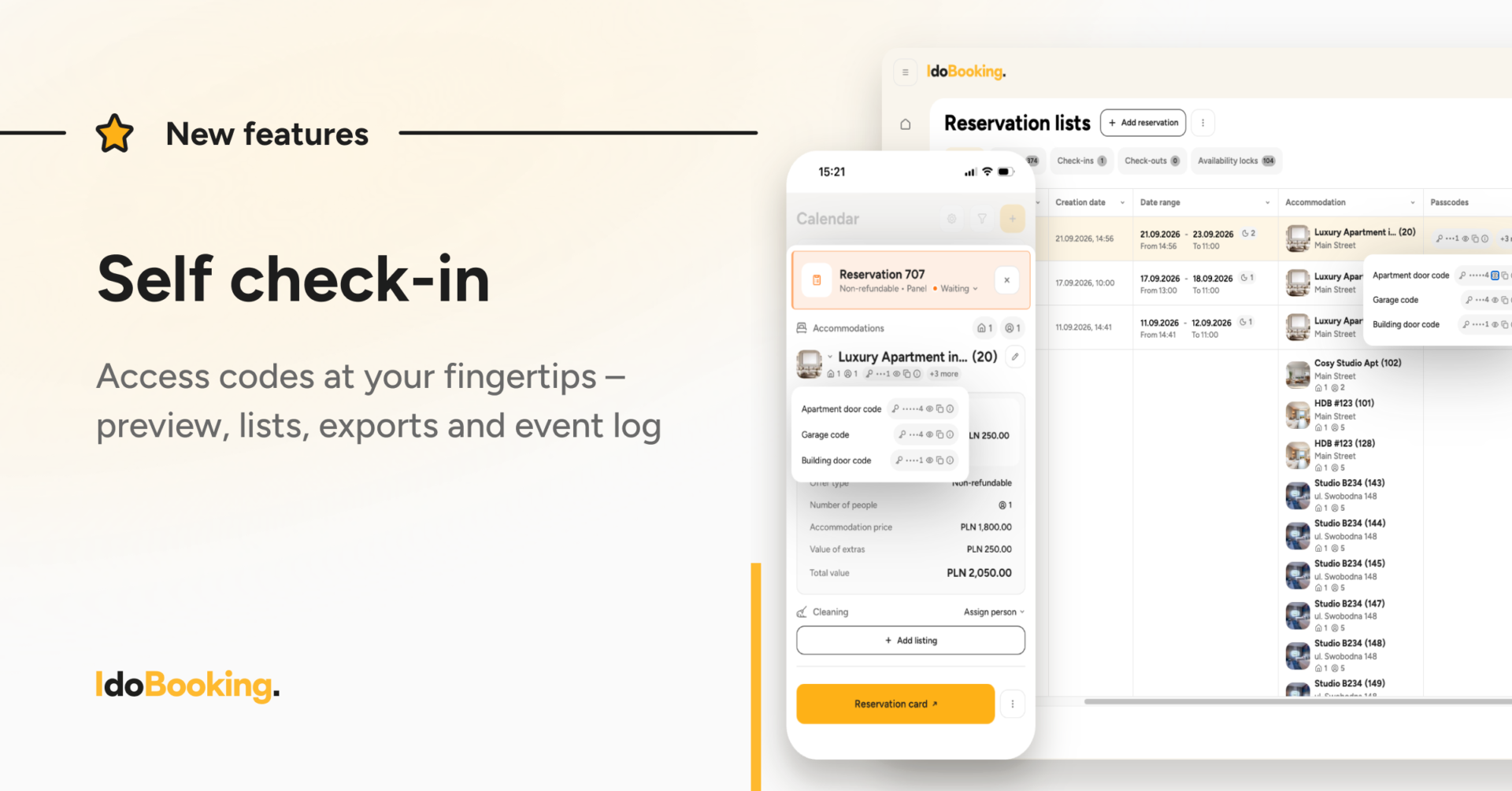
We are continuing to develop Self check-in to minimize the manual work required to manage property access. Following our recent improvements to access code automation, we are now introducing updates that make access codes easier to manage in everyday operations.
You can now check access codes directly from a reservation or the Reservation List, while the new Event Log lets you quickly review the history of operations related to access codes.
What’s new
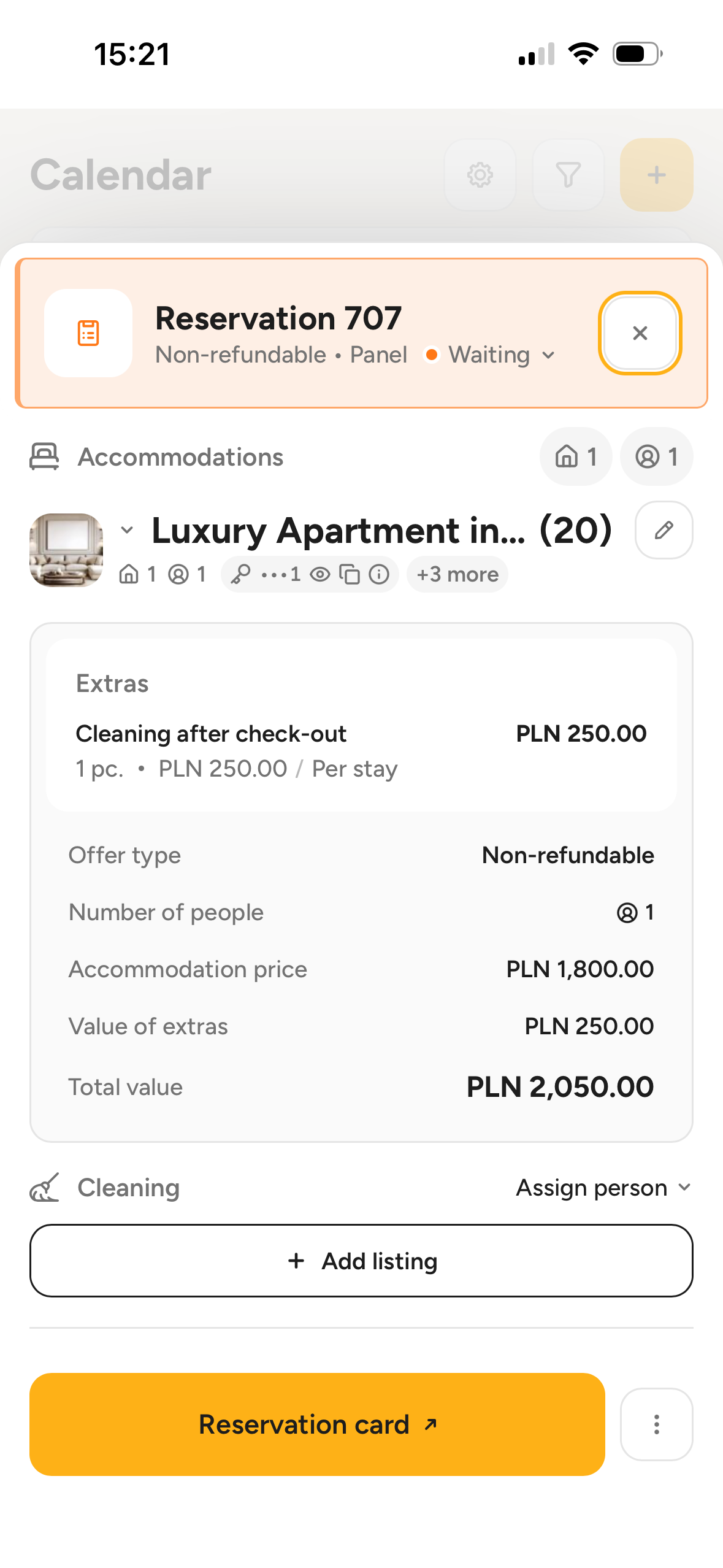
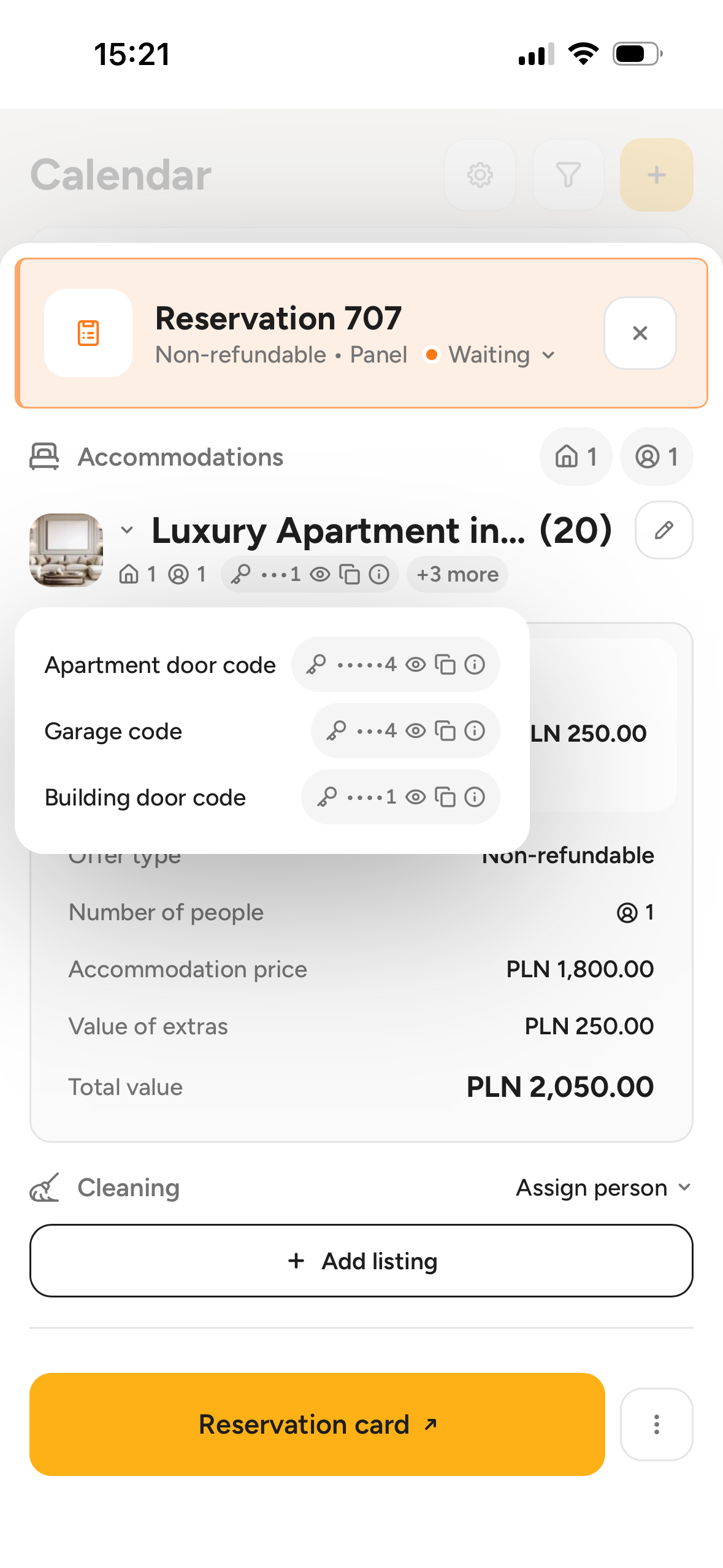
Access codes directly in the reservation
Access codes are now available directly in the reservation details sidebar. You can quickly view and copy them, for example when you need to share a code with a guest or verify access to the property. This keeps the most important information about the stay in one place, alongside the other reservation details.
Where can you find it?
Calendar → select a reservation
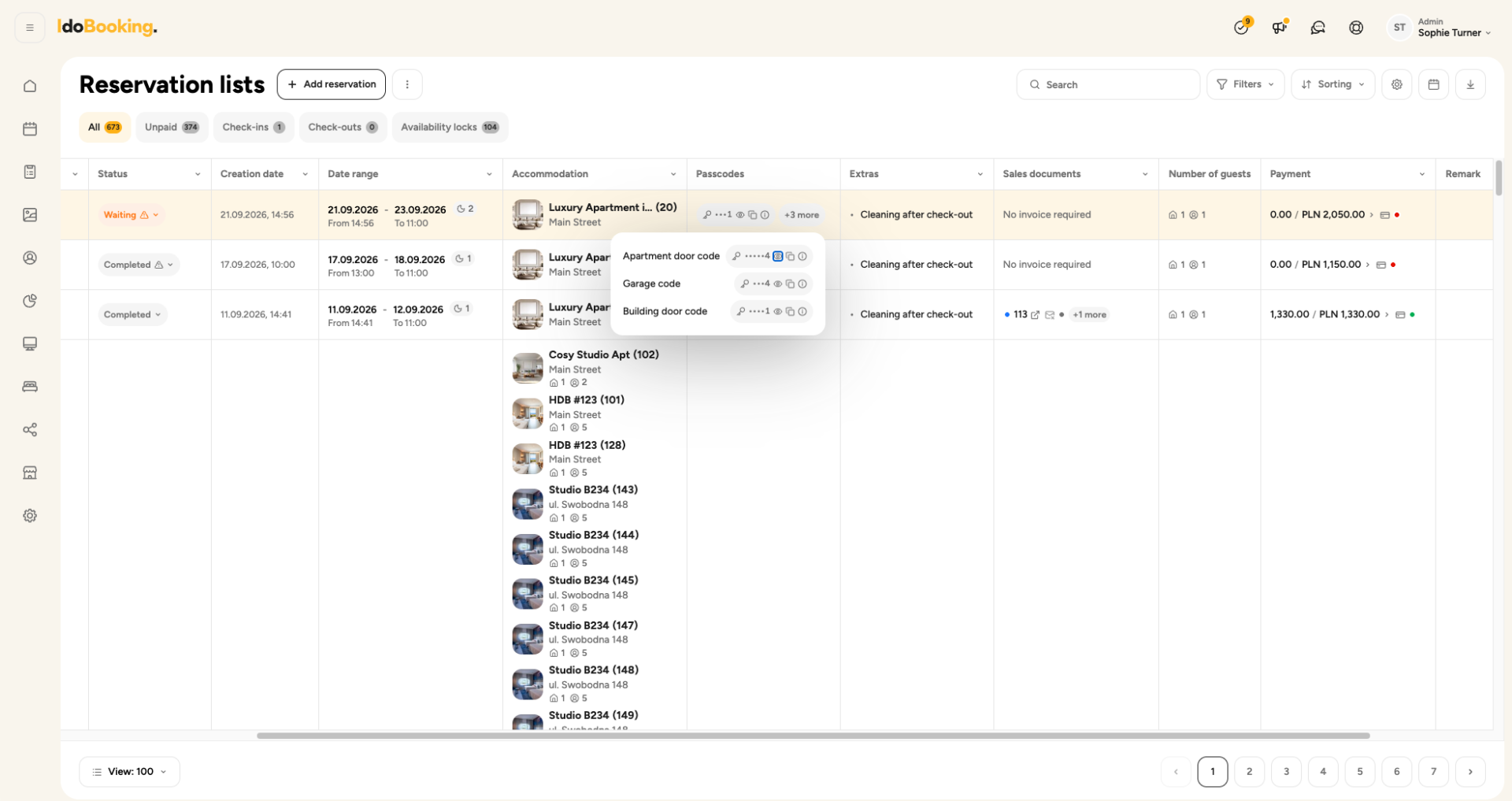
Access codes in the Reservation List and exports
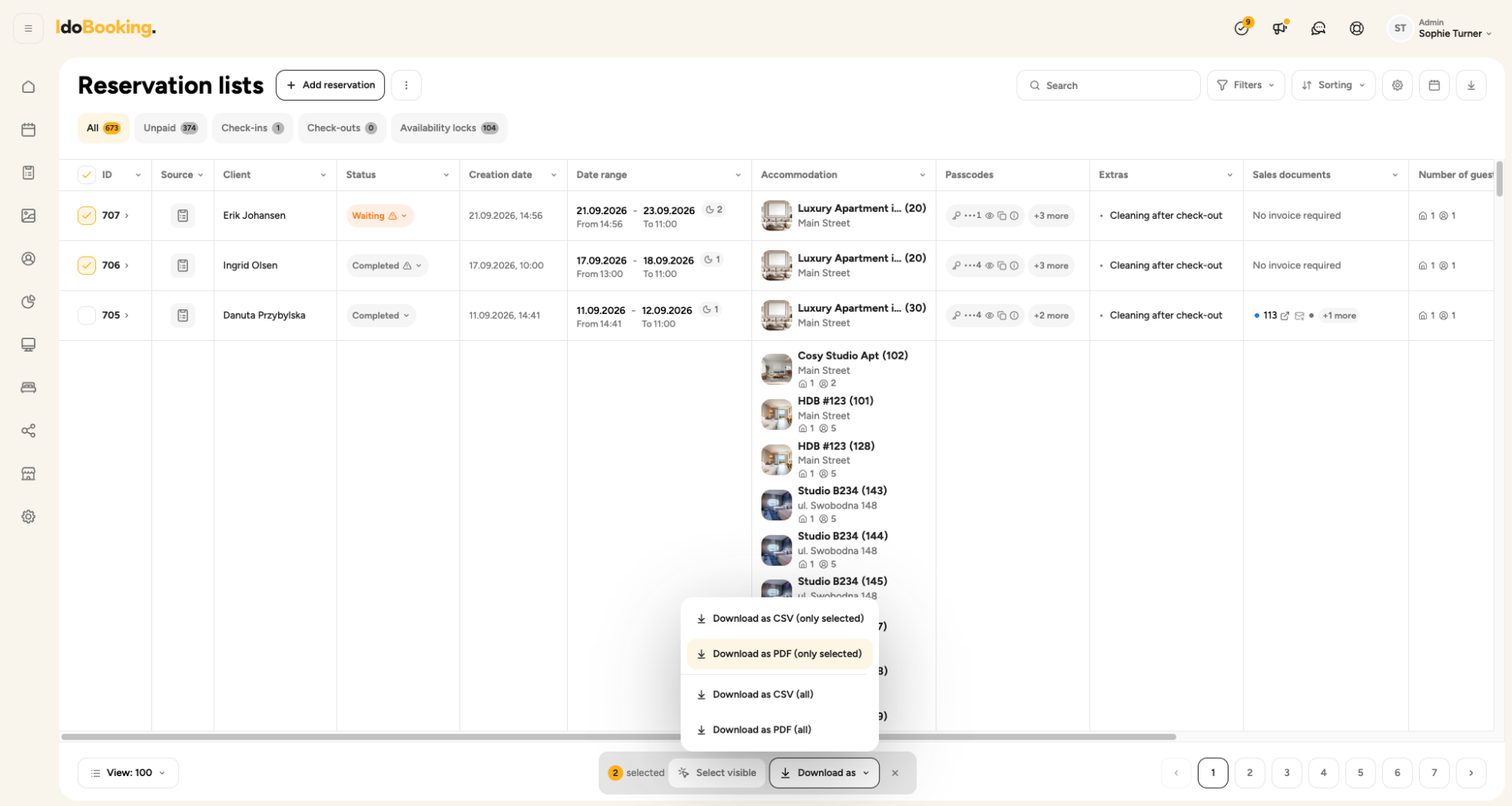
When managing a larger number of reservations, checking each one individually is not always convenient. That’s why we’ve also added an Access codes column to the Reservation List. This allows you to quickly check codes for multiple stays without opening each reservation separately.
Access code information is also included in PDF and CSV exports, so you can use it outside the IdoBooking panel as well – for example, when preparing a list for your property operations team.
Where can you find it?
Reservations → Reservation List
Event Log – review the history of operations
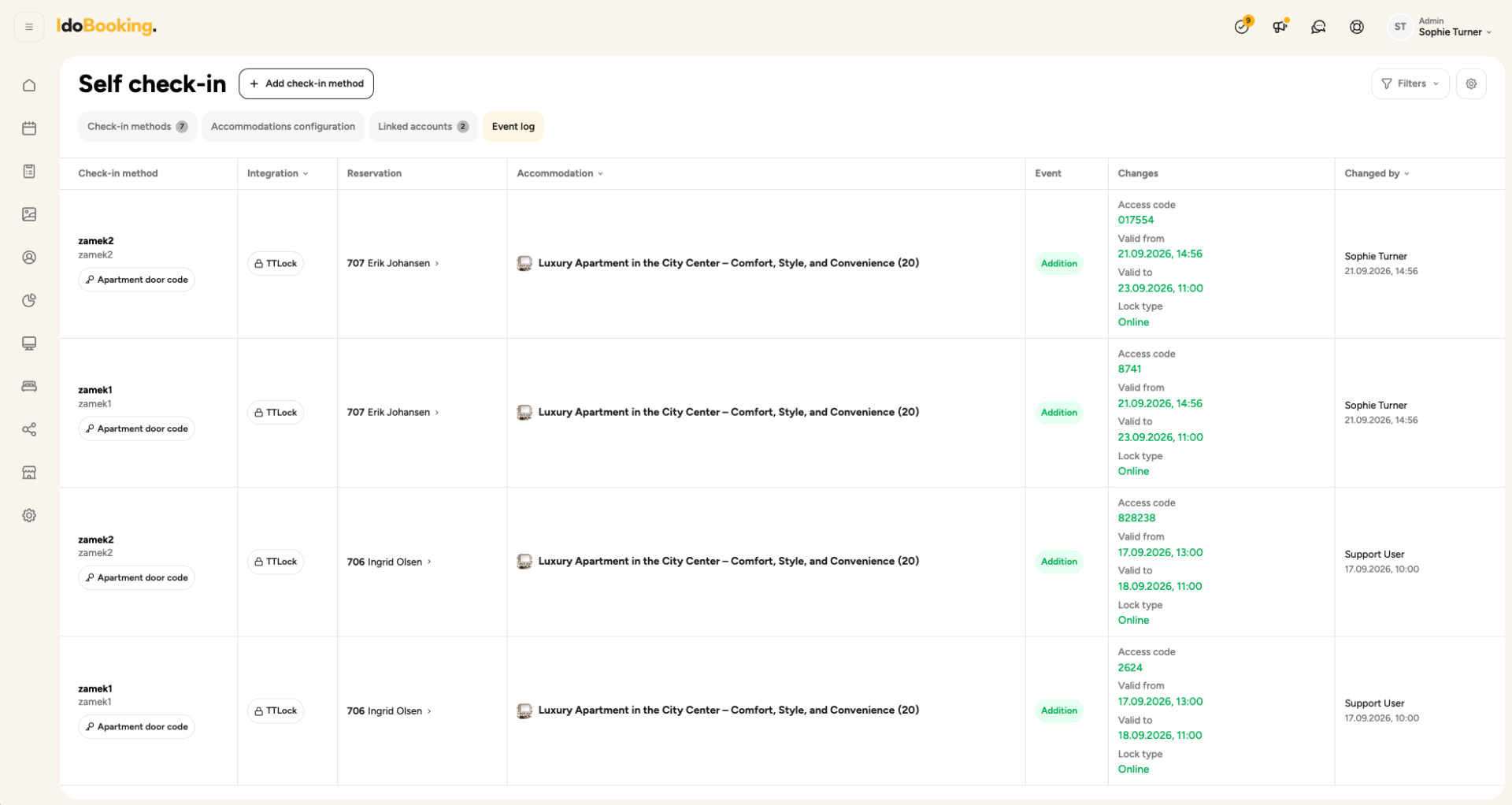
When access codes are managed automatically, it’s important not only to have them readily available, but also to be able to quickly check what has happened in the system. That’s why we’ve added an Event Log to the Self check-in module, where you can review the history of operations related to access codes.
This makes it easier to verify that your automations are working correctly and review operations performed on access codes without having to check each reservation individually.
Where can you find the Event Log?
Settings → Additional modules → Self check-in → Event Log
Self check-in integrated into everyday reservation management
This is another step in the development of Self check-in in IdoBooking. In our previous update, we expanded the options for configuring access codes and locks – including permanent codes, multiple codes for a single reservation, one lock serving multiple accommodation units, and generating codes based on the guest’s phone number.
This time, we focused on making sure that property access information is available exactly where you need it during everyday reservation management.
Our next step is to continue improving the entire check-in process, so that as many tasks as possible – from preparing property access to sharing the necessary information with guests – can be handled automatically in IdoBooking.
Learn more
You can find detailed information on configuring Self check-in in the IdoBooking Help Center: