
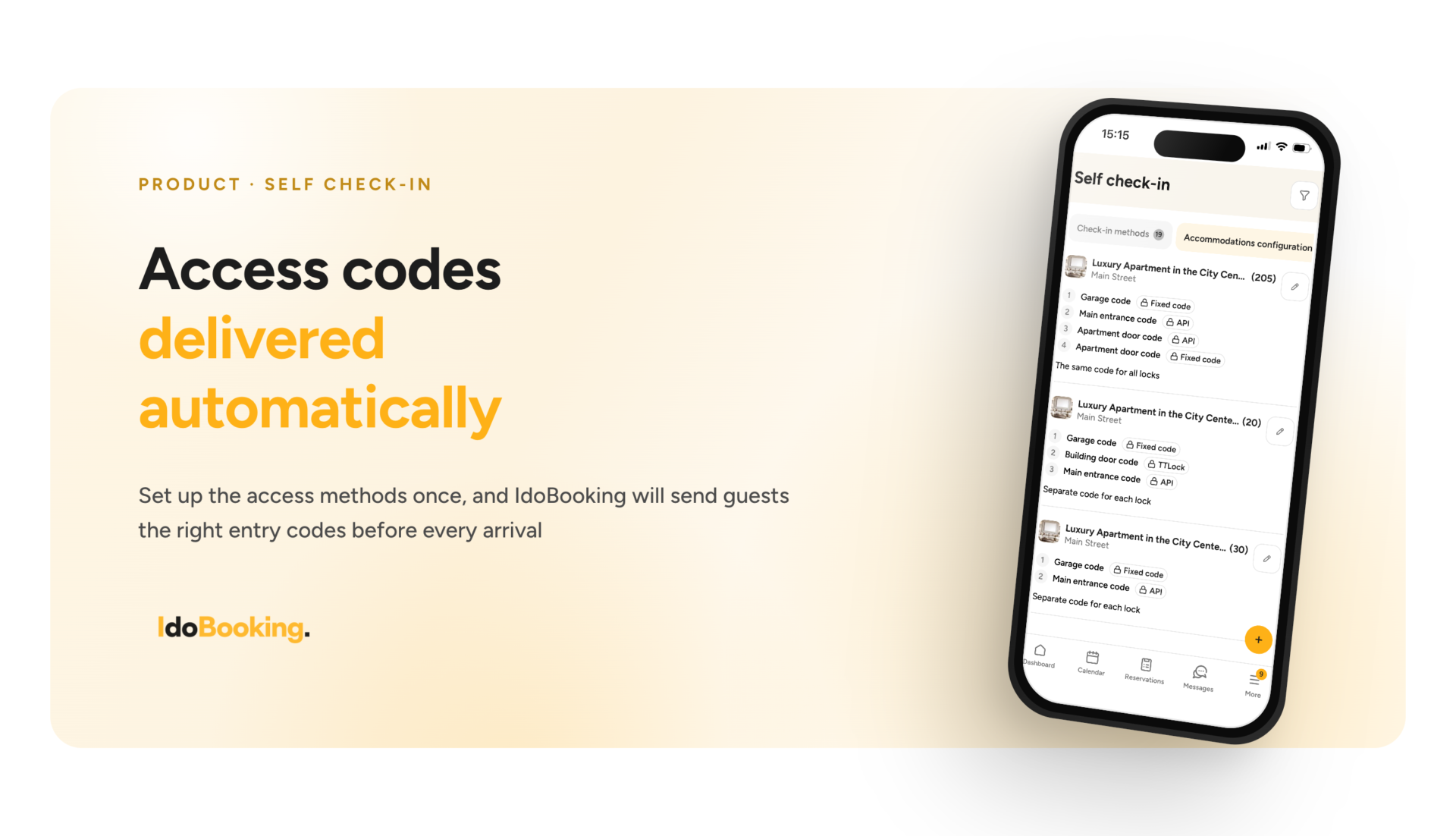
A smooth check-in process has a major impact on the guest experience, but managing it across a larger property portfolio can be challenging. Different locks, access codes for gates and common areas, key lockboxes, or multiple access methods within a single reservation mean that automatically providing guests with the right information requires a high degree of flexibility.
That is why we have expanded the Self check-in module in IdoBooking, allowing you to better accommodate different access scenarios and automate the delivery of access codes to guests.
New features
The new module includes the existing electronic lock configuration, enhanced with additional options for managing access codes and methods:
Fixed codes
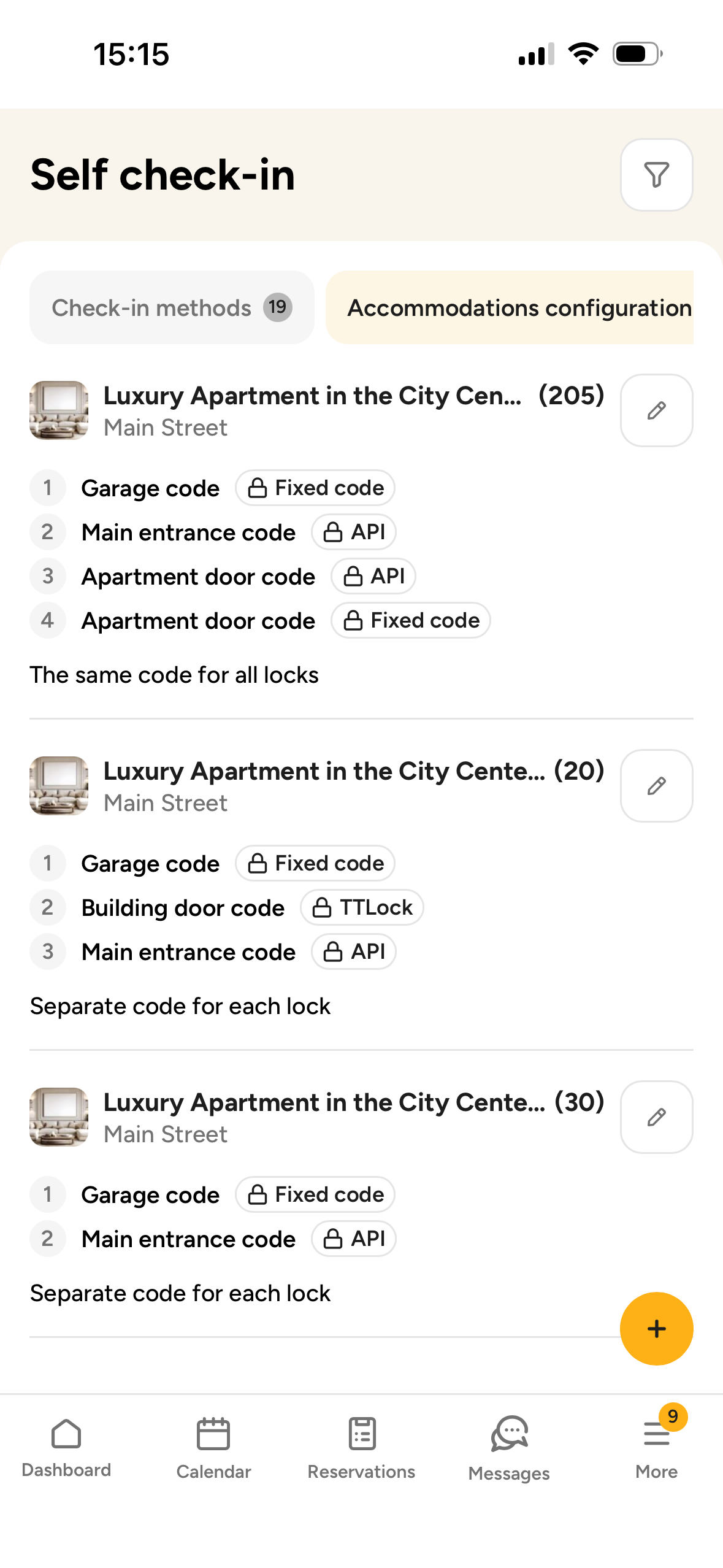
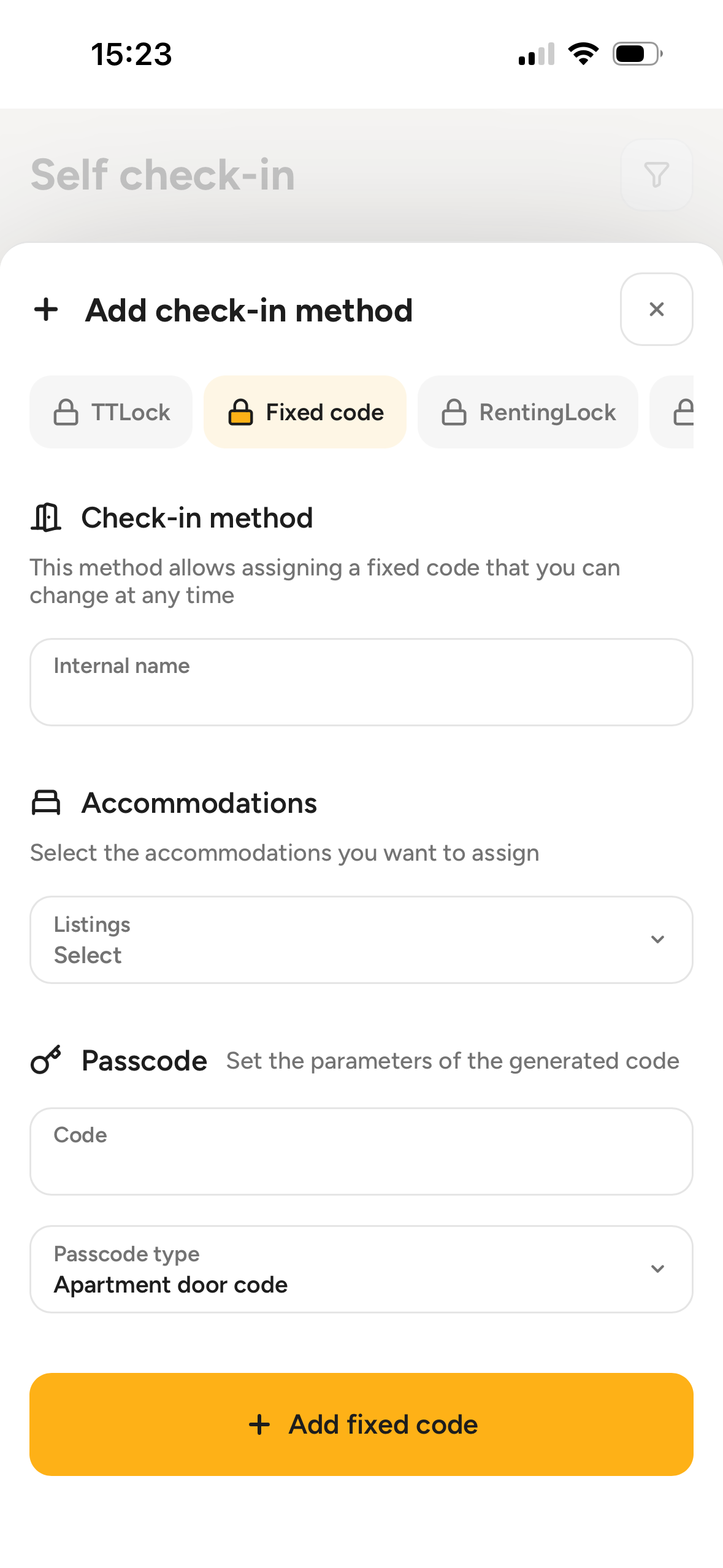
In addition to automatically generated codes, you can now also use fixed codes – for example, for an entrance gate, building entrance, common areas, or a key lockbox.
Multiple codes for a single reservation
A single reservation may require more than one access code to be provided to the guest. You can now automatically send multiple access codes, combining, for example, a code generated by an electronic lock with a fixed code for a gate or common area, or several codes from different electronic locks.
One lock for multiple accommodation units
You can assign the same lock to multiple accommodation units. This makes it easier to configure access to entrance doors, gates, or other shared areas used by several apartments or rooms. You can easily combine it with codes for individual apartments in a single, clear message with instructions.
Code based on the guest’s phone number
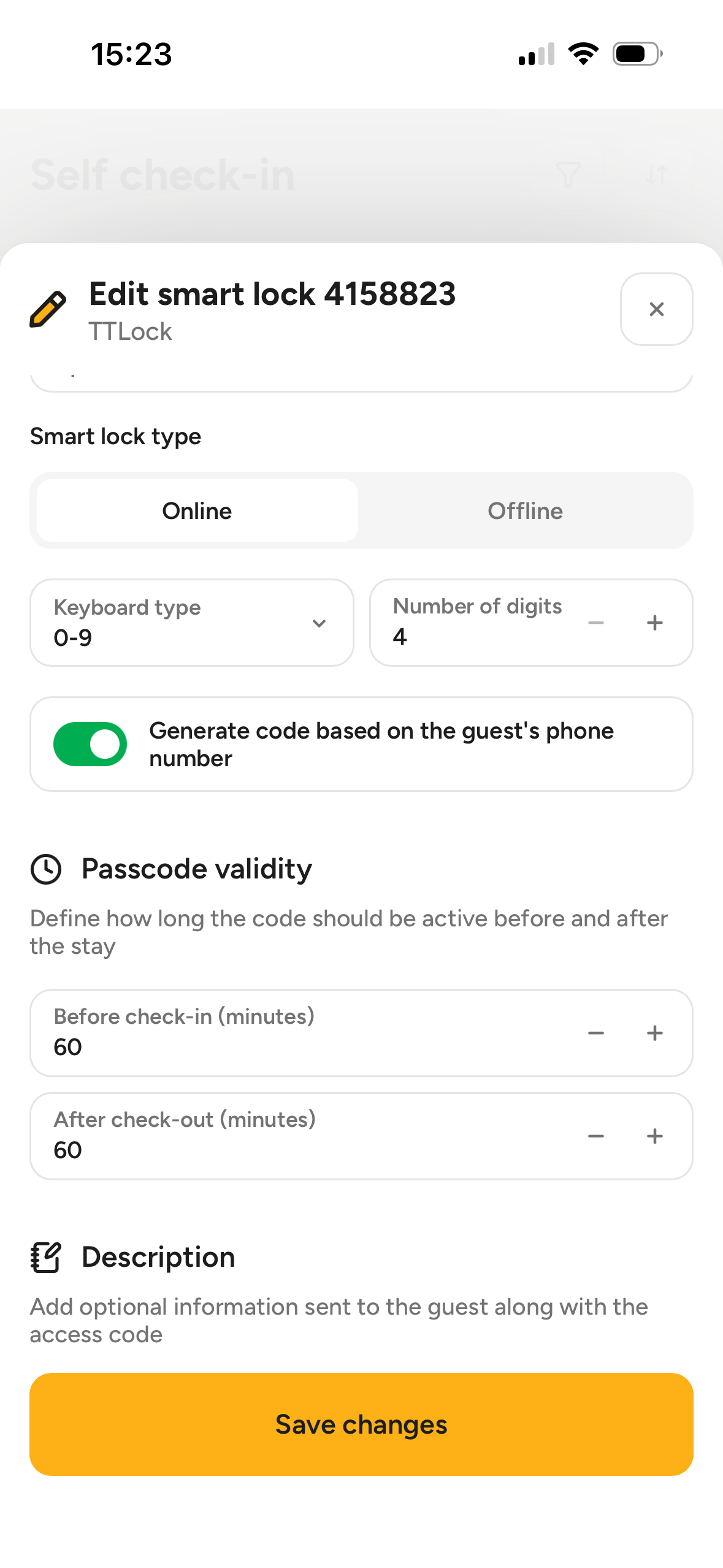
An access code can be generated based on the phone number provided in the reservation. This gives the guest a code that is easier to remember, without requiring staff to set it manually.
One code for multiple doors
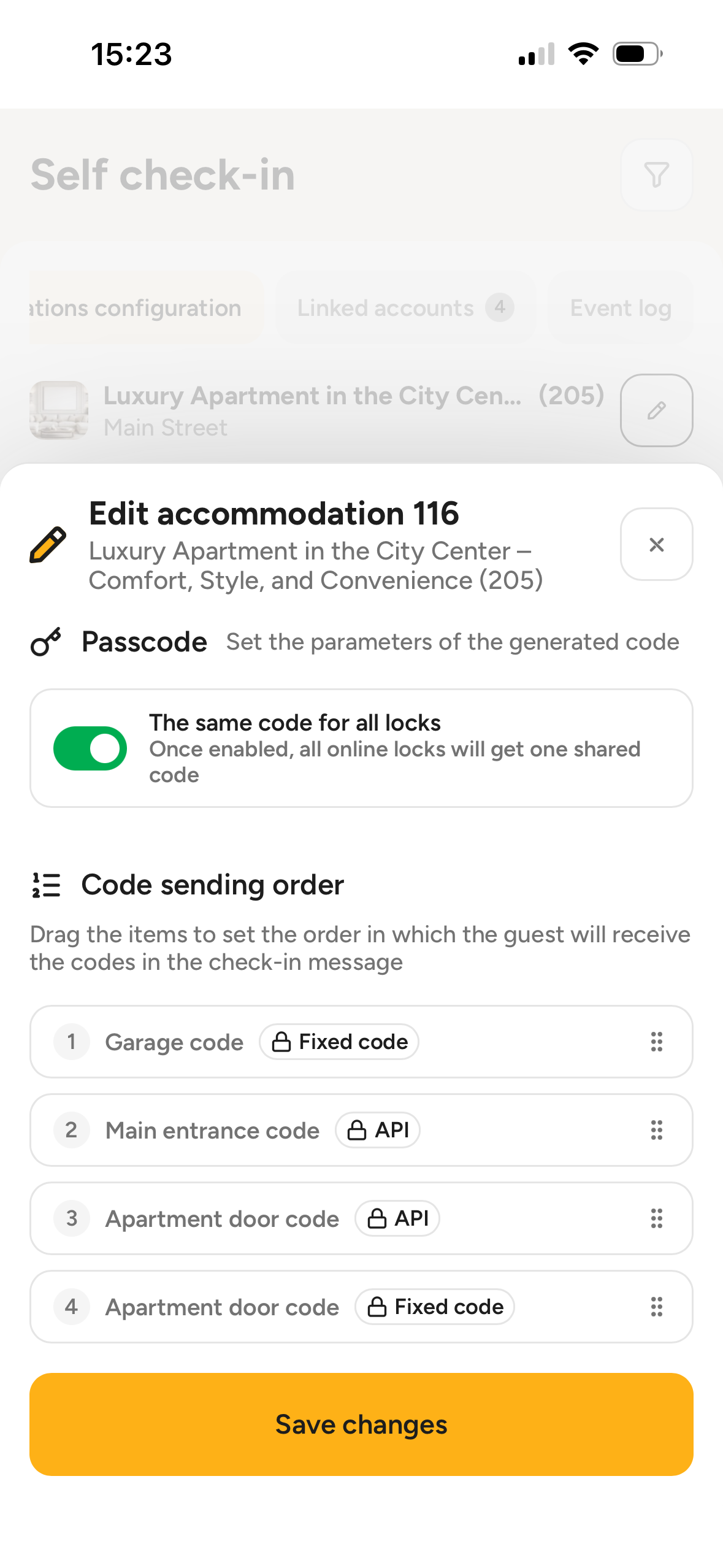
If the property’s infrastructure allows it, guests can use the same code for multiple locks – for example, for both the building entrance and the apartment. This reduces the amount of information they need to remember during their stay.
Additional description for each code
You can add a short, optional description to each code, which will be sent to the guest together with the code – for example, “Entrance gate”, “Building entrance”, or “Apartment 12”.
Clearer messages for guests
We have also refreshed the layout of the template used to present access codes, making information about individual entrances clearer and easier for guests to understand.
Where can you find the settings?
You can configure the new options in the IdoBooking panel:
Settings → Additional modules → Self check-in
In one place, you can define access methods, assign them to the relevant accommodation units, and decide which codes should be sent to the guest.
What’s next?
The expansion of the Self check-in module is the first stage of broader improvements to the check-in process in IdoBooking.
In the next stages, we plan to introduce, among other things:
- displaying access codes directly in the reservation details,
- the option to add an access code column to the reservation list,
- an online check-in form, combined with the option to upsell additional services,
- separating Check-in instructions from the current Location configuration and further expanding this area.
Our goal is to create a process that supports a wide range of check-in scenarios – including operators managing larger property portfolios, multiple locations, and different access methods – while minimizing the number of tasks that need to be performed manually.
Learn more
You can find detailed information on how to configure the Self check-in module in the IdoBooking Knowledge Base: