
Discover the new Multi-calendar feature: drag and drop reservations to change rooms or dates — without leaving the calendar or opening additional windows.
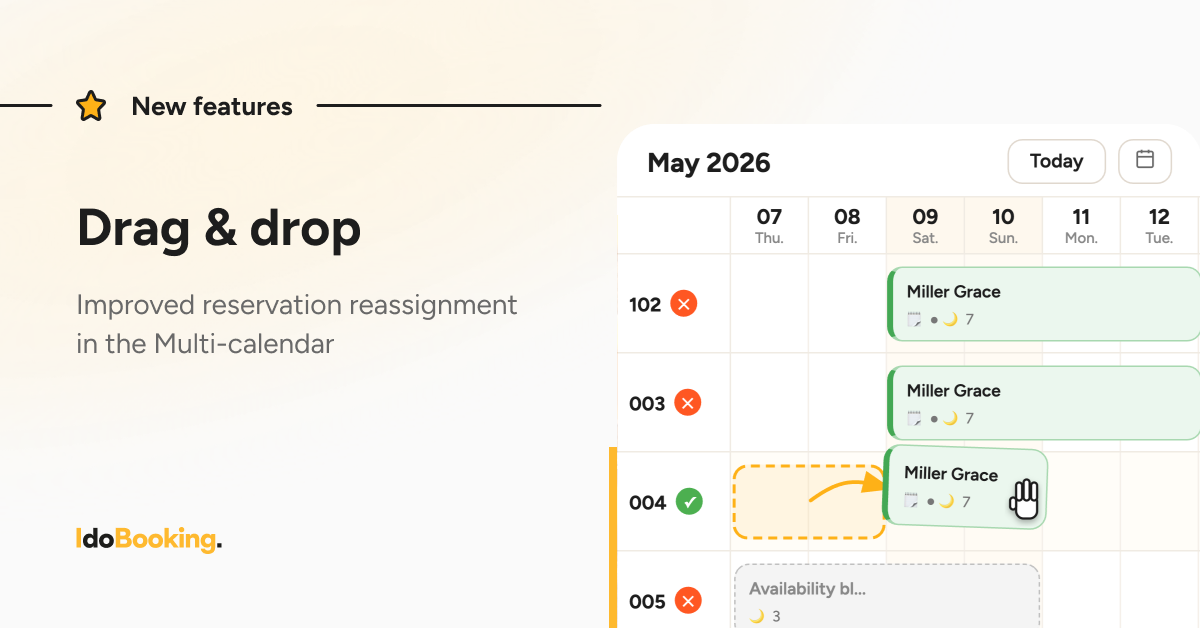
Flexible reservation moving (drag & drop)
With the new feature, you can quickly and easily change the room assigned to a reservation. Simply drag and drop the reservation directly in the calendar.
How does it work?
The available options depend on the reservation source:
Direct reservations (Booking Engine, panel, owner reservations, blocks):
- changing the room
- changing reservation dates
Channel Manager reservations (e.g. OTA bookings):
- changing the room
Additional calendar improvements
At the same time, we introduced several smaller improvements to enhance readability and everyday usability:
- More intuitive highlighting of the current day
- Improved reservation search in the calendar — including dates outside the currently displayed range
- Color indicators for occupied units while creating reservations
- Faster calendar loading
What’s next?
We know that in real-life property management, daily operations often require:
- working with overbookings
- flexible reservation reassignment
- maximizing occupancy
That’s why in the next update we will also introduce a new way of displaying overbooking reservations — they will become semi-transparent, making it easier to identify date conflicts, improving visibility of overlapping reservations, and increasing predictability when managing overbookings.
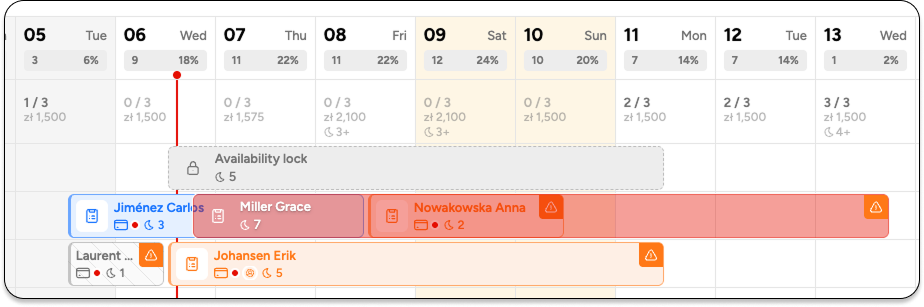
This change brings more clarity to “edge-of-availability” situations and gives you greater control over what is actually happening in the calendar.